To install the GGPT App on your iOS device and using the Safar browser, please follow the instructions below.
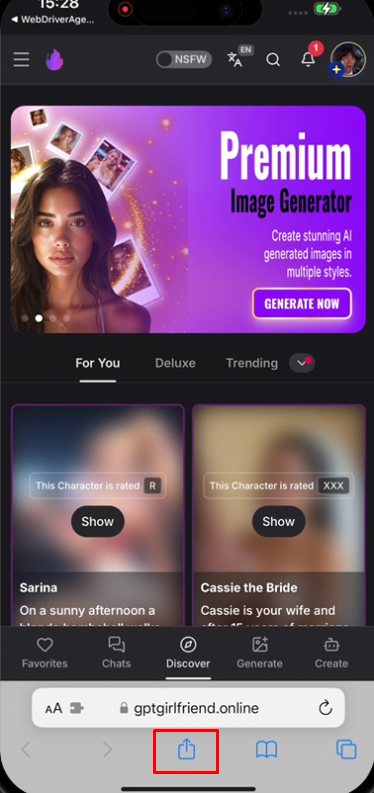
While using the Safari Web Browser, go to the GGPT Home Page and Press the Share Button.
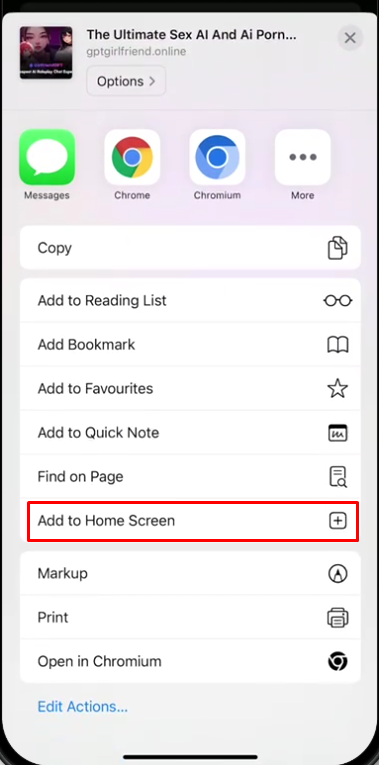
After pressing the Share Button, scroll up the panel and press on the Add to Home Screen Button
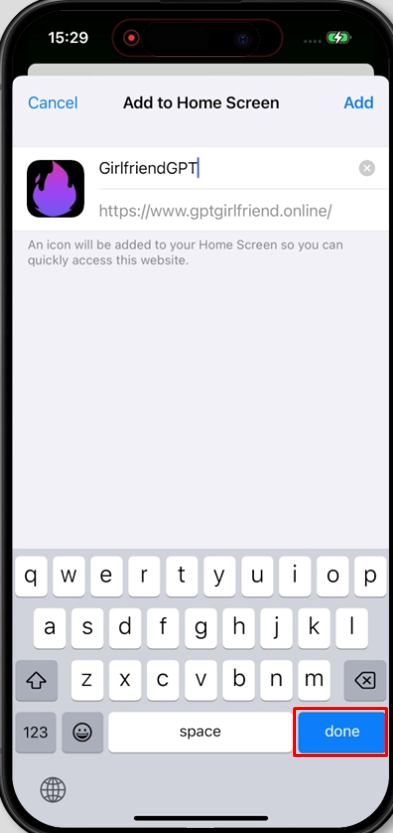
Rename the App to your preference, then press Done.
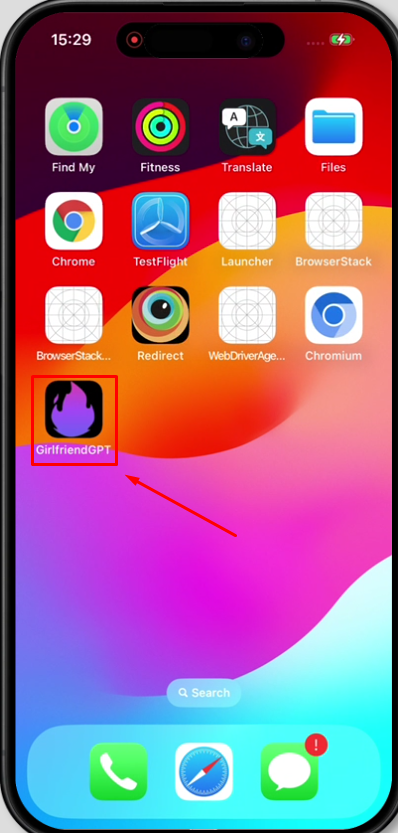
The GGPT App should be added now on your Home Screen.
Was this article helpful?
That’s Great!
Thank you for your feedback
Sorry! We couldn't be helpful
Thank you for your feedback
Feedback sent
We appreciate your effort and will try to fix the article